Sensors are everywhere—inside your phones, cars, smartwatches, and even home appliances. But what exactly is a sensor, and how does it work?
If you’re a student learning electronics, robotics, or science, understanding sensors is one of the most important basics. This simple explanation will help you clearly understand what sensors do and how they work in real-life projects.
What Is a Sensor?
A sensor is a device that detects something in the environment and converts it into an electrical signal that a computer or microcontroller (like Arduino) can understand.
In simple words
Sensor = Device that senses + sends information
Examples
- Temperature sensor → senses heat
- Light sensor → senses brightness
- Ultrasonic sensor → senses distance
- Gas sensor → senses air quality
How Sensors Work (Simple Explanation)
Almost all sensors follow three basic steps
1. Sensing
The sensor detects a physical quantity such as
- Light
- Temperature
- Motion
- Pressured
- Distance
- Gas/smell
- Touch
This is called the input.
2. Converting
The detected quantity is changed into an electrical form (voltage or current).
This is done inside the sensor using special materials:
- Thermistors change resistance with temperature
- Photodiodes react to light
- Piezo materials react to pressure
- Ultrasonic transducers use sound waves
3. Output
The sensor sends this electrical signal to
- Arduino
- Raspberry Pi
- Microcontroller
- Computer
- Robot
These devices then interpret the value and decide what to do.
Example
Distance < 10 cm → robot stops
Light is low → lamp turns on automatically
Why Sensors Are Important
Sensors are the “eyes”, “ears”, and “feelers” of electronic systems.
Without sensors, robots and machines cannot understand their environment.
Sensors help machines
- Make decisions
- Automate tasks
- Improve safety
- Save energy
- Interact with humans
Types of Sensors (With Easy Examples)
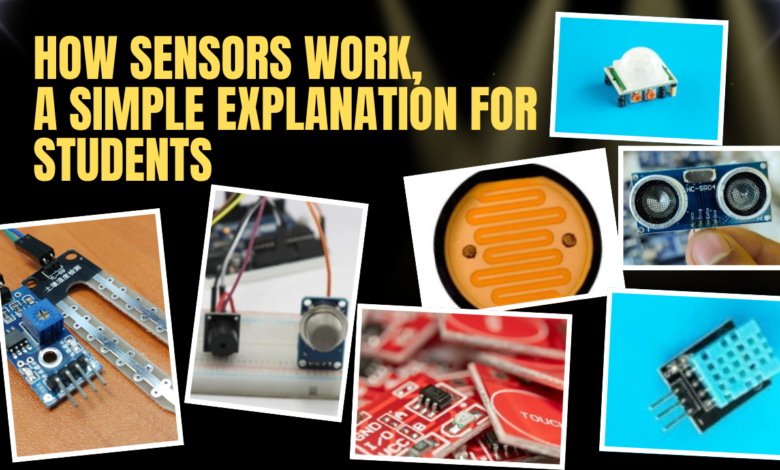
1. Light Sensor (LDR)
Senses brightness.
Used in automatic street lights, mobile auto-brightness.
2. Temperature Sensor (DHT11/LM35)
Measures heat.
Used in AC, fridge, weather monitoring.
3. Ultrasonic Sensor (HC-SR04)
Uses sound waves to measure distance.
Used in robots, car parking systems.
4. Motion Sensor (PIR)
Detects human movement.
Used in security alarms, automatic lights.
5. Gas Sensor (MQ series)
Detects gas levels like smoke, LPG, CO2.
Used in kitchens, fire alarms, safety systems.
6. Touch Sensor
Detects touch like a button.
Used in mobile displays, touch devices.
7. Humidity Sensor
Measures moisture in the air.
Used in weather stations, smart farming.
How Sensors Communicate With Microcontrollers
Sensors usually output data in two ways
1. Analog Output
Gives a varying voltage.
Example: LDR, temperature sensor.
Arduino reads this using analog pins.
2. Digital Output
Gives either
- HIGH (1)
- LOW (0)
Example – PIR motion sensor.
Some sensors send data digitally using I2C, SPI, or serial communication.
Simple Sensor Example for Students
Let’s understand using a light-activated LED
- LDR senses light.
- If it’s dark → resistance increases.
- Arduino reads the change.
- Arduino turns ON the LED.
This is how sensors make automation possible!
Conclusion
Sensors are the most important parts of modern electronics. They help machines sense the world just like humans do.
Once you understand how sensors work, you can build smart projects with Arduino, robotics, IoT, and more.
This is all about How Sensors Work, Thanks for reading.
Check out my other articles.