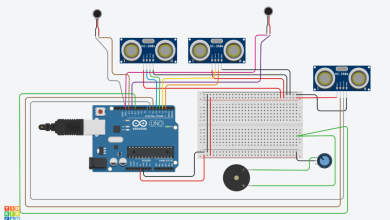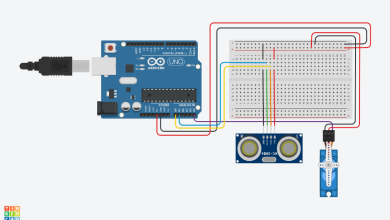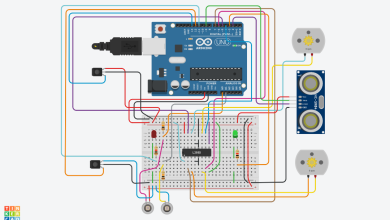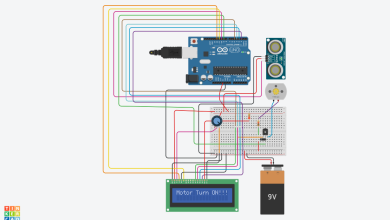
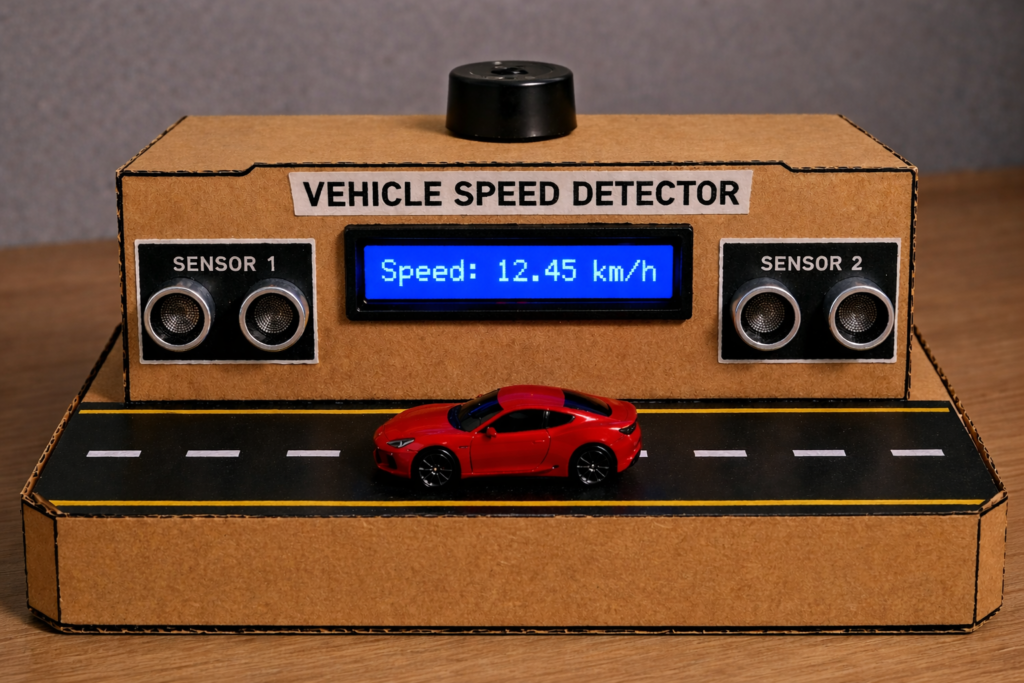
Have you ever wondered how speed detection systems work on roads? In this project, we will build a Vehicle Speed Detector using Arduino UNO that calculates the speed of a moving object using two ultrasonic sensors.
This is a beginner-friendly yet powerful project that teaches:
- Sensor interfacing
- Real-time measurement
- Embedded programming
- Practical physics (Speed = Distance / Time)
By the end of this guide, you’ll be able to build and understand the system completely on your own.
How This Project Works :
This system uses two ultrasonic sensors placed at a fixed distance.
Working Flow :
- A vehicle passes Sensor 1 → Timer starts
- The same vehicle reaches Sensor 2 → Timer stops
- Arduino calculates speed using:
Speed = Distance / Time
- The result is displayed on an LCD
- A buzzer alerts if speed exceeds the limit
Component List :
| Name | Quantity | Component |
|---|---|---|
| PIEZO1 | 1 | Piezo |
| DIST1 DIST2 | 2 | Ultrasonic Distance Sensor (4-pin) |
| U1 | 1 | Arduino Uno R3 |
| U3 | 1 | PCF8574-based, 39 (0x27) LCD 16 x 2 (I2C) |
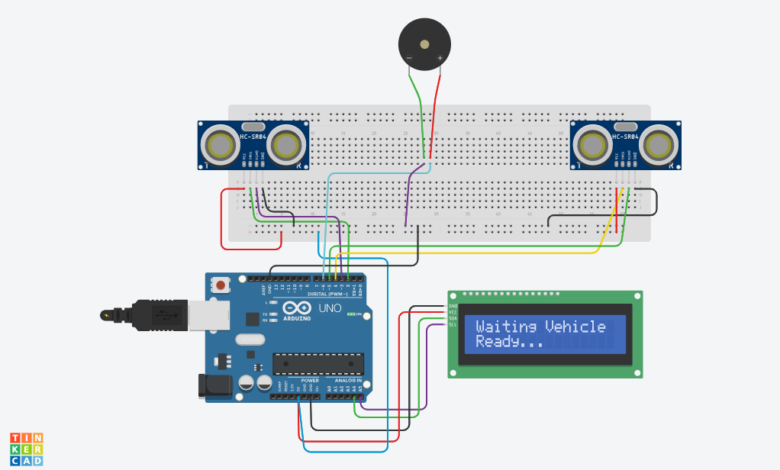
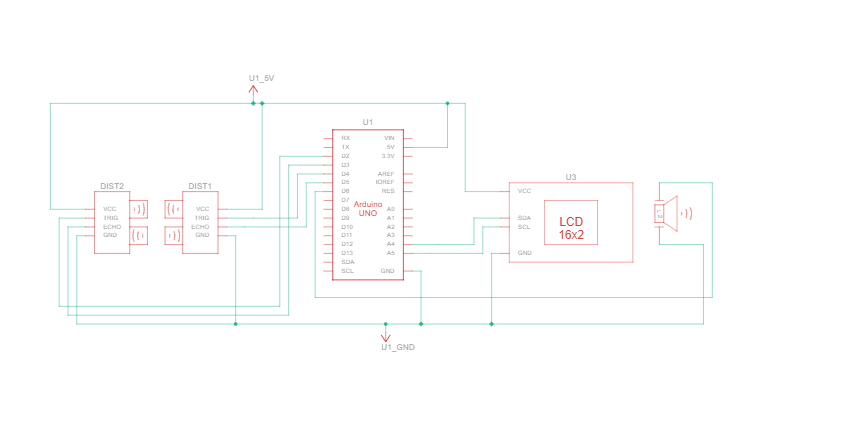
Complete Connections :
1. First Ultrasonic Sensor
| HC-SR04 | Arduino UNO |
|---|---|
| VCC | 5V (recommended) |
| TRIG | D2 |
| ECHO | D3 |
| GND | GND |
2. Second Ultrasonic Sensor
| HC-SR04 | Arduino UNO |
|---|---|
| VCC | 5V (recommended) |
| TRIG | D4 |
| ECHO | D5 |
| GND | GND |
3. Buzzer Connection
| Buzzer | Arduino UNO |
|---|---|
| (+) | D6 |
| (-) | GND |
4. LCD I2C Connection
| LCD I2C | Arduino UNO |
|---|---|
| VCC | 5V |
| GND | GND |
| SDA | A4 |
| SCL | A5 |
Arduino Code :
#include <Wire.h>
#include <LiquidCrystal_I2C.h>

LiquidCrystal_I2C lcd(0x27, 16, 2);

// Pins
#define TRIG1 2
#define ECHO1 3
#define TRIG2 4
#define ECHO2 5
#define BUZZER 6

// Settings
#define DISTANCE 0.20 // distance between sensors in meters
#define THRESHOLD 40 // detection range in cm
#define SPEED_LIMIT 10.0 // km/h limit

bool started = false;
unsigned long t1 = 0;

// Measure distance from ultrasonic sensor
float getDistance(int trig, int echo) {
digitalWrite(trig, LOW);
delayMicroseconds(2);

digitalWrite(trig, HIGH);
delayMicroseconds(10);
digitalWrite(trig, LOW);

long duration = pulseIn(echo, HIGH, 30000);
if (duration == 0) return 999;

return duration * 0.0343 / 2;
}

// Stable detection to avoid false triggers
bool detectStable(int trig, int echo) {
int count = 0;
for (int i = 0; i < 5; i++) {
if (getDistance(trig, echo) < THRESHOLD) count++;
delay(5);
}
return (count >= 3);
}

// Buzzer alert
void beep(int t) {
digitalWrite(BUZZER, HIGH);
delay(t);
digitalWrite(BUZZER, LOW);
}

void setup() {
pinMode(TRIG1, OUTPUT);
pinMode(ECHO1, INPUT);
pinMode(TRIG2, OUTPUT);
pinMode(ECHO2, INPUT);
pinMode(BUZZER, OUTPUT);

lcd.init();
lcd.backlight();

lcd.setCursor(0, 0);
lcd.print("Vehicle Speed");
lcd.setCursor(0, 1);
lcd.print("Detector");
delay(2000);
lcd.clear();
}

void loop() {

lcd.setCursor(0, 0);
lcd.print("Waiting Vehicle ");
lcd.setCursor(0, 1);
lcd.print("Ready... ");

// Sensor 1 detection
if (!started && detectStable(TRIG1, ECHO1)) {
t1 = micros();
started = true;

lcd.clear();
lcd.print("Vehicle Found");
lcd.setCursor(0, 1);
lcd.print("Measuring...");
delay(300);
}

// Sensor 2 detection + speed calculation
if (started) {

// Timeout safety
if (micros() - t1 > 3000000) {
started = false;
lcd.clear();
lcd.print("Timeout Reset");
delay(1000);
lcd.clear();
return;
}

if (detectStable(TRIG2, ECHO2)) {

unsigned long t2 = micros();
float timeSec = (t2 - t1) / 1000000.0;

if (timeSec > 0) {
float speed = (DISTANCE / timeSec) * 3.6;

lcd.clear();
lcd.setCursor(0, 0);
lcd.print("Speed:");
lcd.setCursor(0, 1);
lcd.print(speed, 2);
lcd.print(" km/h");

if (speed > SPEED_LIMIT) {
beep(200);
} else {
beep(80);
}
}

delay(3000);
started = false;
lcd.clear();
}
}
}
This Vehicle Speed Detector project is a great example of combining:
- Electronics
- Programming
- Real-world physics
It’s simple to build but powerful enough to demonstrate real traffic monitoring concepts.
This is all about DIY Vehicle Speed Detector Using Arduino, Thanks for reading.
Check out my other articles.