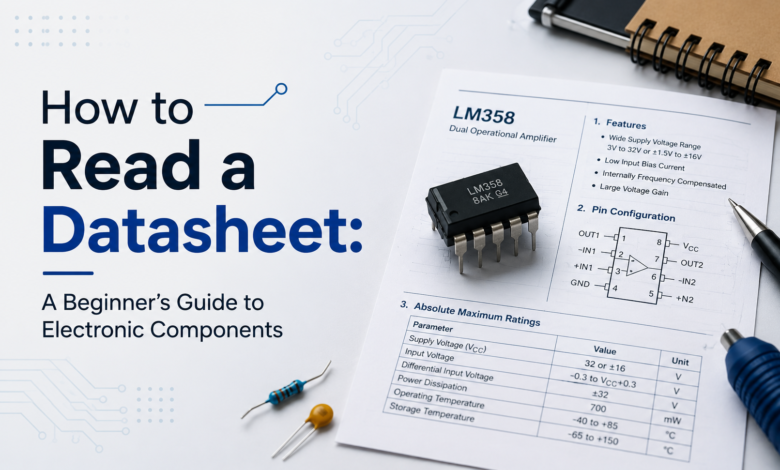
Datasheets look intimidating, but they don’t have to be. This beginner-friendly guide breaks down exactly what to look for in a component datasheet, so you can pick the right parts with confidence.
How to Read a Datasheet for Beginners :
Every electronic component — from a simple resistor to a complex microcontroller — comes with a datasheet, and every datasheet looks like a wall of numbers, graphs, and abbreviations at first glance. But you don’t need to read one cover to cover to use it well. This guide breaks down exactly which sections matter most for a beginner, and how to pull out the information you actually need for your next project.
What Is a Datasheet?
A datasheet is a technical document published by a component’s manufacturer that describes exactly how that part behaves: its electrical limits, physical dimensions, pin layout, and recommended usage. Think of it as the component’s instruction manual and spec sheet combined into one — it tells you not just what the part does, but the exact conditions under which it will work safely and reliably.
Key Sections to Look For :
- General description / overview
Usually the first paragraph or two, giving a plain-English summary of what the component is and what it’s typically used for. This is the best starting point if you’re not even sure the part is right for your project.
- Pinout diagram
A labeled diagram showing every pin on the component and what it does — power, ground, signal, control pins, and so on. This is the section you’ll come back to most often when wiring anything up.
- Absolute maximum ratings
The hard limits the component can survive without permanent damage — maximum voltage, current, and sometimes temperature. These aren’t “recommended operating” numbers; they’re the edge of the cliff. Staying well under these values, not right up against them, keeps your component safe.
- Recommended operating conditions
The voltage, current, and temperature ranges the part is actually designed to run within day-to-day. This is the range you should be designing around, not the absolute maximums.
- Electrical characteristics
A detailed table of specs like current draw, voltage drop, response time, or resistance values, often given as typical, minimum, and maximum figures. This section is where you’ll find exact numbers for calculations, like sizing a resistor or predicting battery life.
- Package dimensions / mechanical drawing
Physical measurements of the component, useful for designing enclosures, PCBs, or making sure a part will actually fit where you want to put it.
How to Use a Datasheet in a Real Project :
Say you’re picking an LED for a project. You’d check the recommended forward voltage and current in the electrical characteristics table, then use those numbers to calculate the right resistor value so you don’t burn it out. Or if you’re wiring up a new sensor, the pinout diagram tells you exactly which pin is VCC, GND, and signal — instead of guessing or hunting through forum posts.
Tips for Beginners :
- Don’t try to read a datasheet start to finish — jump straight to the pinout diagram and electrical characteristics, since those cover most day-to-day wiring needs.
- Always design around the recommended operating conditions, not the absolute maximum ratings — those maximums are a warning label, not a target.
- Keep an eye out for a “typical application” or “example circuit” diagram, often included near the end — it shows you exactly how the manufacturer expects the part to be wired.
- If a datasheet uses unfamiliar abbreviations, a quick search of the specific term (like “Vf” for forward voltage) usually clears things up fast.
Frequently Asked Questions :
- Do I need to read the entire datasheet every time?
No. For most hobby projects, the pinout diagram and electrical characteristics table cover what you need. Save a full read-through for components you’re using in a more critical or unfamiliar way.
- What’s the difference between absolute maximum ratings and recommended operating conditions?
Absolute maximum ratings are the hard limits before permanent damage occurs. Recommended operating conditions are the safer range the component is actually designed to run in continuously. Always design for the latter.
- Where do I find datasheets for a component?
Most datasheets are published directly by the manufacturer and can be found by searching the part number along with the word “datasheet,” or through distributor sites that stock the component.
A datasheet isn’t meant to be intimidating — it’s a tool. Once you know which sections actually matter, you can pull out exactly what you need: how to wire it, how to power it safely, and whether it fits your project at all.
Visit tinkercircuits.com for more beginner-friendly Arduino and ESP32 guides.
Happy Tinkering! — The Tinker Circuits Team.