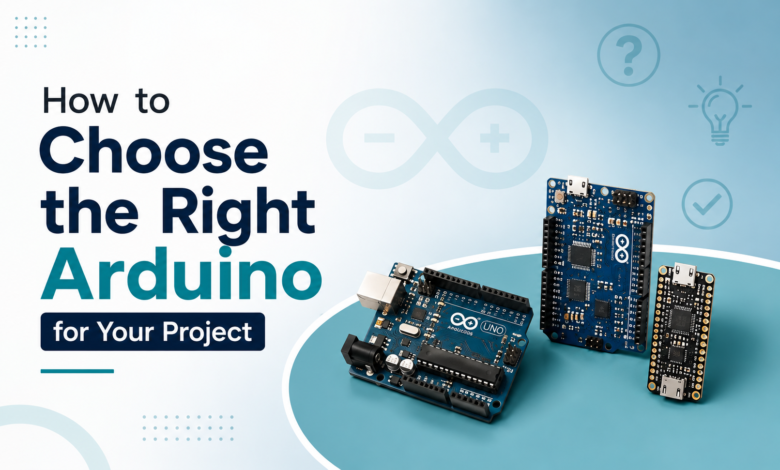
Walk into the Arduino ecosystem for the first time and you’ll be greeted by a wall of boards — Uno, Nano, Mega, Leonardo, ESP32, ESP8266, Due, and more. They all run similar code, but they are not interchangeable. Picking the wrong board can mean running out of pins halfway through a build, discovering there’s no Wi-Fi when you need one, or paying for horsepower you’ll never use. This guide breaks down exactly what to look at before you buy, so your next project starts on the right board the first time.
Key Factors to Consider :
1. Pin count and type
Count your components first, then count your pins. Sensors, motors, displays, and buttons all need digital or analog pins, and some (like servos or ultrasonic sensors) need specific pin capabilities such as PWM or interrupt support. If your project has more than a handful of inputs and outputs, a Mega’s 54 digital pins will save you from a redesign later.
2. Processing power and memory
An Uno’s 16 MHz processor and 32KB of flash memory is plenty for blinking LEDs, reading sensors, or running simple state machines. But if you’re doing anything with image processing, complex math, or multiple simultaneous tasks, you’ll want a 32-bit board with more RAM and clock speed, like an ESP32 or a Due.
4. Size and form factor
A Nano or a Pro Mini is a fraction of the size of a Mega, which matters a lot for wearables, drones, or anything going inside a tight enclosure. If your project needs to be small and light, size will often eliminate half your options before you even look at specs.
5. Power requirements
Battery-powered projects benefit from boards with lower power draw and native sleep modes, like the ESP32 or a Pro Mini running at 3.3V. Boards designed for constant USB or wall power, like the Mega, aren’t optimised for squeezing extra runtime out of a battery.
6. Budget
Boards range from a few dollars for a bare-bones clone to $30+ for a fully-loaded Mega or genuine ESP32 dev board. It’s tempting to buy the most capable board “just in case,” but matching the board to the actual project keeps costs down across multiple builds.
Popular Arduino Boards Compared :
| Board | Best For | Pins | Wireless | Notes |
|---|---|---|---|---|
| Arduino Uno | Beginners, simple projects | 14 digital / 6 analog | None | The default starting point; huge community support |
| Arduino Nano | Compact builds, breadboard projects | 14 digital / 8 analog | None | Same power as Uno in a smaller footprint |
| Arduino Mega | Pin-hungry projects (3D printers, robotics) | 54 digital / 16 analog | None | Overkill for simple projects, essential for complex ones |
| Arduino Leonardo | USB HID projects (keyboards, mice) | 20 digital / 12 analog | None | Native USB support other boards lack |
| ESP32 | IoT, Wi-Fi/Bluetooth projects | Varies by module | Wi-Fi + Bluetooth | Dual-core, powerful, low cost for what it offers |
| ESP8266 | Budget IoT projects | Fewer usable GPIO pins | Wi-Fi only | Great for simple connected sensors on a tight budget |
Which Board for Which Project :
- Learning the basics / first LED and sensor projects → Arduino Uno
- Wearable or space-constrained build → Arduino Nano or Pro Mini
- Robot with many motors and sensors → Arduino Mega
- Smart home device or remote sensor with app control → ESP32
- Simple Wi-Fi sensor on a budget → ESP8266
- Custom USB peripheral (macro keyboard, game controller) → Arduino Leonardo
There’s no single “best” Arduino — only the best one for what you’re building. Start by listing your project’s real requirements: pin count, wireless needs, size constraints, and power budget. From there, the right board usually becomes obvious. When in doubt, an Uno or an ESP32 covers the vast majority of hobbyist projects and makes a safe default while you’re still learning what you need.
For more guides, project ideas, and practical electronics tips, visit us at tinkercircuits.com.
Happy Tinkering! — The Tinker Circuits Team.